Showing posts with label Templates. Show all posts

Wednesday, 22 July 2009

New freebie- Template

Hi All
Hope your having a great week so far.
Things not too bad on this front...lol

I got to creating again today and have made another template for you
Here's a preview of template 14
Again it's very simple but sometimes simple is best

I have also made layout for the template to show a result of what you can do
I have use a couple of pics of my hubby... One is a self portrait that he took of himself...
and one is what I took while he was sleeping yesterday...Yep I know bit naughty.
For this layout I have used a FTU scrapkit called A Little Leather of http://becky1screations.blogspot.com/


cosidering it's a self portrait not too bad huh? and considering he's blind... He's done brilliantly

Any way if you would like to download the template you can get it from here

Well that's about it from me today so will catch you later

thanks for visiting and looking

Hugs Michelle

Sunday, 19 July 2009

New Freebie - Template 13

Hi All

Hope your all having a great weekend
I got to creating a little again today and have created a basic template
If anyone can use it. Here's a preview of the template


I have also done a little layout using the template
The template is 3600x3600 so full sized but easy enough to resize as necessary for taggers


ok for thos that would like the template please go here
look for zip called template 13 it's in two formats psp and psd.
thanks for looking
Have a great day
Hugs Michelle

Monday, 2 March 2009

Freebie Template

New Freebie Template

Hi all
Welcome to Monday Hope you all have a great week
I got to creating this morning and I have made a new basic template
and a new tag with that template
so this is Template twelve and you can get it
here if you want it.
As usual if you wish to share use a preview and link to my blog only please


Here is a tag I created with the template
I have used a picture of some of my Neices and Nephews
they are all in Australia I miss them heaps..
I have also used a lovely FTU scrapkit called Suavity
which you can get here


Thanks for visiting my blog
and hope you all have a great week
perhaps some more freebies up by the end of today
hugs all
Michelle

Got to creating a bit more this afternoon and did myself a name tag

this one again was created with the blog train Hurry spring

I used Kit by Essy this time


I have again used the fantastic artwork of Steve Nazar


so here is my latest creation

thanks for looking

Hugs Michelle


Sunday, 1 March 2009

Freebie Template

New Freebie Template

Hi all
hope you've all had a great weekend
Me not too bad if you count a sick husband
who is whingy whiney and a pain
a pain in the backside teenager, who is rude, obnoxious
nasty and dang I just want to throttle him


and me who's just trying to cope and isn't well but can't afford to be sick
or take a sick day or my whole family would collapse or kill each other

alright that said got to creating today and made a new template
You can download template 11 from here
Please remember if wanting to share just the preview and a link to my blog
hope you enjoy this template


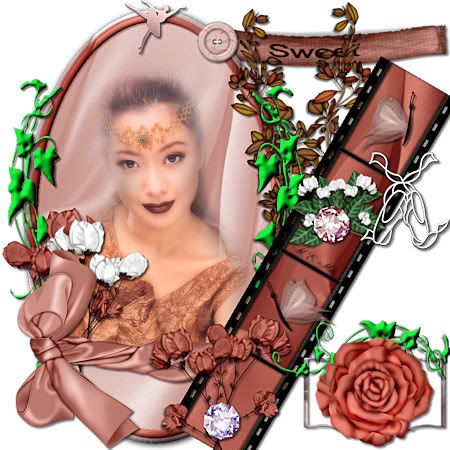
Here is a Tag I made with the template
I used a lovely FTU scrap kit called Ballet
by http://desejossonhos.blogspot.com/


If you would like a copy of this tag you can get it here
please do not alter the tag
you may put your name on it
do not make it into extras
do not share through groups
thanks you
Hugs Michelle

Well I thought that was it for the day
but I got to creating again
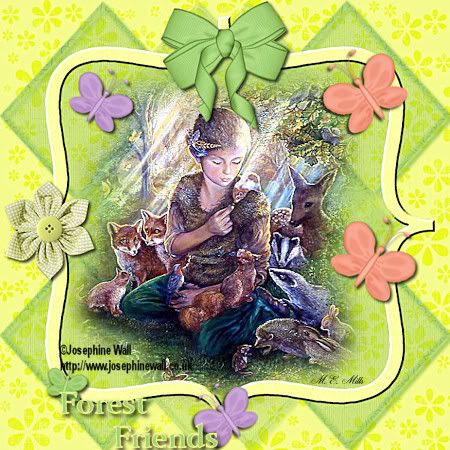
this time I made a tag using
a lovely FTU kit by Stacey
this is part of the Hurry Spring Blog train
you can get it here
I have also used the beautiful artwork of
Josephine Wall
http://www.josephinewall.co.uk/
If you would like a copy of this tag you can get it here

please do not alter the tag in anyway


Thanks for visiting

and hope to see you soon

Hugs Michelle

Well Nope doesn't look like I'm finished creating
I made another tag tonight for Jade of SinfulJades
using her FTU Blog train kit also called
Hurry Spring
you can get the kit here
here are the results
For this Tag I have used the fantastic artwork of
Steve Nazar
www.stevenazar.com


Thanks for looking and enjoy your evening
Hugs Michelle


Friday, 27 February 2009

Template Freebie

New Template Freebie

Hi all... Hope you've had a great week and have a wonderful weekend
I finally got to creating something today
Been dealing with a migraine and severe depression
for the last few days so haven't felt much like
creating

Today I've made a new Template
Template Six is finally released..
bit late and definately out of order but here we go
If you would like to have this template you can download it here Look for template six
Please remember if you'd like to share the template through groups
just share a preview and a link to my blog
thank you
Hugs Michelle

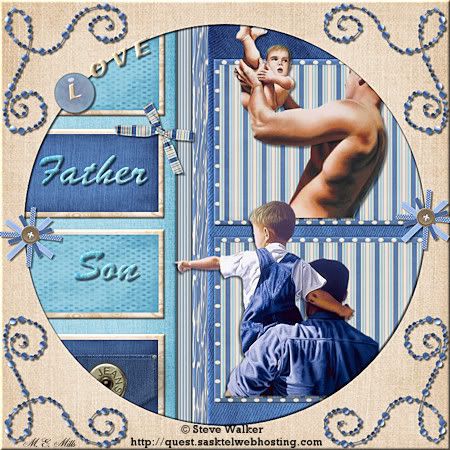
Here is a tag I created with the template
I have used the fantastic artwork of Steve Walker http://quest.sasktelwebhosting.com/
I have also used a lovely FTU scrapkit called Denimchic http://www.clareysdesignz.blogspot.com/
Well that's it for today
thanks for looking and if you'd like the tag you can get it here
Please do not alter the tag or make extras from it
just put your name on it
hugs Michelle

Saturday, 7 February 2009

New Template and Tag

New Template and Tag


Hi all

Hope your weekend is going well thus far.

Nice and quiet here today. Damien's gone to stay with Paul's parents for the weekend so

we get to have some more free time... wow two weeks in a row...

Other good news Damien got to some work this week as well.. yippeee!!!

Maybe lead to a bit more work in the near future... that would really be great

anyway Got to creating again today
I've made a new template ten can get here


here is a tag I've created For this tag I have used the beautiful artwork of ©SoaLee www.soanala.com

I have used a beautiful scrapkit FTU called Spring Joy which can be found here look under free scrapkits

If you woul like this tag you can get it here

Thanks for visiting my site hope to see you soon and enjoy the template

Hugs Michelle


Friday, 23 January 2009

Template Freebie and New tag

New Template and Tag


Hi all

Hope you are all doing well...

Sorry haven't done anything in little while it's been bit hectic here and trying to cope with my depression as well.


Well finally I've felt a bit creative so I've made a new template and a new tag

Template Nine can be gotten here


Please if you are going to share through groups just share a preview and a link to my blogsite thank you


The tag I've created I've used the beautiful artwork of © Ayumi K http://aymk.net/

I have also used a Fun PTU kit by sinful Jade called Hurry spring


Well Thank you for Visiting and hope you like what you see and return soon

If you would like a copy of the Tag you can get it here


Please do not alter or change tag in anyway and please do not share through groups

thank you

Hugs Michelle


Tuesday, 13 January 2009

More Results

Hi All


Hope your all doing well...


I'm slowly getting better... Still constantly losing my voice and


barking like a dog... but gett ing better...


Well today just wanted to show a lovely tag


done by Helen from one of my groups, using


my template.


I love this and thank you so much Helen for trying my template


and allowing me to show your lovely work


Hugs Michelle


Sunday, 11 January 2009

Template Tutorial and New Freebie Template

How to Create a Template


Basic


Hi All


Recently I was asked how to create templates and if I could write a tutorial on how to do it


So here it is...


Templates are basic Frames that are created so that they can be filled in with colours or scrap paper etc to give the effect you like and decorate them to create your own unique tags...


This tutorial was written by Michelle Mills on 11th January 2009. Any resemblance to any other tutorial is purely coincidental. I claim all rights to this tutorial. Your results of this tutorial you are free to do with as you wish.


This tutorial assumes you have a working knowledge of Paint shop Pro.


The results of this tutorial were done in Paint shop Pro Ultimate x2.


Hugs Michelle


Ok so here we go this is the Template we’re going to make


First create a new 600x600 transparent image


Rename layer to background flood fill with white


In your material Palette make your foreground transparent by clicking the little circle with cross through it.


Change your Background Colour to a dark grey


Go to your Selection tool and Choose Octagon, mode is replace, feather 0, anti-alias checked


Now pull out a shape to fill most of the middle section and fill with the dark grey.


Select none and move your shape to the middle of paper, Rename Layer Large Octagon


See image below for placement


Select all Float and Defloat, then select>modify>Contract 15


Create new raster; Make sure new raster is selected


Select>Modify>select selection borders, outside checked, anti-alias checked, border width 4, click ok and then fill with a light grey, select none, Rename Layer Octagon Frame


Continue to rename your layers as you’re going along so you know where you are at


Choose a new shape, I Chose a Leaf pull out a shape to the size you like and then move it around to place where you like.


As this has pulled out on a vector layer


Convert to raster I now duplicated the raster layer and mirrored the new layer and then I free rotated by about 40 degrees and brought the leaves together


I have decided I like what I have so have duplicated both the leaf layers again


Flipped them and then mirrored them and then adjusted the position by moving until they sat where I liked them


I then used Selection tool again with Ellipse to create an oval and placed in the middle of my shape, convert to raster and select all>modify>contract 4 and then


Add new raster


Select all>Modify>select selection borders> Outside checked, anti-alias check border width 4 and filled on new raster layer with dark Grey


I then used another shape this time a ribbon and pulled that out


Converted to raster and free rotated by 40 degree and placed where I liked it.


Continue to use your light and dark grey or white if necessary


Use your shapes, Brushes or Selection Tools until you have a template you like and want to work with


When you have a template you like Save as a pspimage...do not merge your layers


And then try your new template for any problems...


You’re done


Hugs Michelle


Fo those that want this template eight you can get it from here

http://www.mediafire.com/?sharekey=9a3332bb218e0ec091b20cc0d07ba4d2ba795b3f16a27520

Please remember that you can share through groups only with a preview and link to my blog

Hugs Michelle


Here's a tag I created with the template
I used the beautiful artwork of Marcel Marlier
and the Very Pretty and fun scrapkit
In the country by http://www.bluedreamdesigns.co.uk/


Thank you for looking
Hugs Michelle

Monday, 5 January 2009

New Template and Tags

New Template


Hi All

Hope your all having a better time than I am at the moment

This illness has really gotten hold of me.. Doesn't seem to matter

what I do can't seem to shake it.. Worst is it has gone to my chest

so making even more difficult to get rid of with my asthma.

Oh well just keep trying I guess..


I have tried to create even though ill and have made a new Template

for you


Please Note usual rule do not share the actual template through groups. If you wish to share a preview only and link back to my blog

thank you


I have also created a tag with the new template

I have used the beautiful artwork of Darin Michau http://darinm.deviantart.com/


I have also used a lovely FTU scrap kit from Stacey http://staceysdesigns.blogspot.com/

It is part of the Treasured Scraps Blog train. You can get stacey's part from her blogsite and

then directed to the rest of the freebies on this wonderful blog train.

thank you Stacey for beautiful kit to work with.


Also here is a tag I created for Stacey with her part of the SNS January Collab kit


I will be writing a tutorial for this tag as soon as I am feeling well and I hope you'll come back to give it a try

in the meantime Enjoy the new Template

Please respect my wishes if sharing Template only share a preview and link to my blog

and I look forward to seeing you all soon

Hugs Michelle


Friday, 26 December 2008

Template Five Freebie

New Template


Hi All

Hope you're all having a great day.

It's been nice a quiet here today which is nice.. Even got to do some shopping without great

crowds in the store..They're all off to the sales..Well they can have that I got my shopping done

Peacefully and quietly and able to lead my husband around the store without bumping into something

or someone every two seconds... I do so love quiet shops...lol

However my poor child who is 16 and has always fought going to bed for as late as possible

has now put himself to bed at 6:27pm.. He's not feeling well poor darling..

It is an early record even for him though..Cause generally no matter how sick he is he wont go

to bed until 11pm or later.

This child at the age of 12months refused to lay down for afternoon naps...lol...nor go to sleep

until it was after 9pm usually got closer to midnight.. I mean all his life

He's always been up till at least 10pm no matter how tired and exhausted...He's always fought sleep

as much as possible I guess cause he thought might miss something.. Or the fact has severe ADHD..

so needless to say I'm a little concerned because he has gone to bed so early but hopefully

he'll be feeling better tomorrow..


Anyway I got to creating today and I have another freebie Template for you

Template no five can be got here

http://www.mediafire.com/?sharekey=9a3332bb218e0ec091b20cc0d07ba4d2ba795b3f16a27520

Here's a preview


Well that's about it for me tonight...

Gonna have an early night myself

I hope you enjoy the template and enjoy the blogsite

thanks to those that have left comments regarding my work

and tutorials it is very much appreciated

Have a good night

Hugs Michelle

Tuesday, 23 December 2008

New Template and Mask

New Template and Mask

Hi All

Hope your having a good week. Well at least better than me.

Still no heating. The roof still leaks, and is now rotted and collapsing.

Still Mold every where why???? Because the landlord is a .....

fill in you own interpretation

Oh well... we are looking at a house tomorrow hopefully we will get it

Really need a break at this point before I go nutz.

Guess I should shut up now as i'm not a happy person...

Right

So today I have made a mask and template

Please link back to me if the template or mask is used

Do not share through groups except with a link to my blog and

a preview of the template and mask.

thank you

The Template four is here


This template is for personal use only, If you use this template

please link back to me. Thank you

Here is a tag I created with the template

I have used a beautiful FTU scrap kit by Aziko

Called Refreshing

http://digital-scrapbooking-japan.blogspot.com/


The mask is here

http://www.mediafire.com/?sharekey=9a3332bb218e0ec0ab1eab3e9fa335cabbc7298691840e57

Mask 10


Again if used please link back to my blog

thank you

Alright that's about it for the day

thanks for looking hope you enjoy the freebies

feel free to leave comments or message..or even to share your

results of use of the freebies.

I'd be glad to see them or even if you like display them on the blog....

It's nice to see what people's interpretation on a tutorial is or how they have

used the templates, masks etc

Also nice to hear thanks

hugs Michelle

Monday, 15 December 2008

Template Freebie- Tutorial

New FREEBIE- TEMPLATE


Hi All Hope you’re all having a great first day of the week.


I have unfortunately noticed that my creations are going through groups with no link back to my blog and with the pspimage file attached. I was most disappointed to see this.


And although I have not required credit in the past if my templates, masks and frames or any of my other creations I have offered as freebies, and still don’t. I have unfortunately noticed a trend whereby I have quite a number of visitors to my blog most particularly when I have offered new freebies, (well everybody’s out for a freebie). Don’t get me wrong I’m glad you like the freebies, It’s wonderful that I have so many visits when I offer a freebie and I have many people downloading my freebies which is also great; and yet very few if any can even take the time to say hi, or thank you or appreciate the fact that these things have been offered.  


Looking at the figures from the time I have started my blog and have offered freebies or creations I have had no less than 4 thank you, not including digi-free. Unfortunately I find this at times incredibly rude of people out of nearly 3000 visitors and out of 650 downloads, 4 thank yous and or comments, this is disappointing but I can live it. What I'm upset is that my small request of not sharing through groups except by preview and link to my blog could not even be respected.  I find it very disheartening that very few can say thank you and yet disrespect my wishes and send these downloads through groups as snags.


 For those that took the time to make a comment I appreciate that and thank you so much. You made my day and brought a smile to my face when I saw those comments and that you liked my work.


I still at this point continue to offer my freebies for personal use only and not require credit back to me if they are used. However if it continues that they are sent through groups as attachments then I will no longer be offering any further freebies.


I realise this is no great loss to many and that my creations are not the greatest in the world. I am still learning after all. But I do put a lot of work into them and I deserve to have my wishes respected.


Right then enough said on that


Well got to have another play today and I’ve first created a template which you can get here http://www.mediafire.com/?sharekey=9a3332bb218e0ec091b20cc0d07ba4d2ba795b3f16a27520


Please note as with all of my creations you may share only with a preview and a link to my blog for others to download it from my blog. This template was created by me on 15th December 2008 any similarities to any other template is purely coincidental


I have also written another tutorial using the new template


This tutorial was written by Michelle Mills on 15th December 2008. Any resemblance to any other tutorial is purely coincidental. I claim all rights to this tutorial. Your results of this tutorial you are free to do with as you wish. Please respect the TOU of the owner of the scrap kit.


This tutorial assumes you have a working knowledge of Paint shop Pro.


The results of this tutorial were done in Paint shop Pro Ultimate x2.


Hugs Michelle


Supplies


Tube or tubes of choice


Mask or brush of choice


FTU Kit of choice I used one from Bea Creations http://beacreations.blogspot.com/ Called Love of my Life


Plug-in optional xero porcelain


Template by me can get here http://www.mediafire.com/?sharekey=9a3332bb218e0ec091b20cc0d07ba4d2ba795b3f16a27520


Open the template duplicate and close the original and open the image or images you wish to use.


I am using one image by Ana Rasha www.anarasha.deviantart.com


First I added the image resized to 70% and sharpened once


Add a drop shadow of V -4, H-6, O 60, B 5, C Black


Copy with your lasso tool the rose and some of the petals and paste as new layer


Resize to 70% and sharpen once


Duplicate layer and mirror, free rotate 30 degree right add same drop shadow as before


Move the rose till it crosses the other rose image. See my image for placement


Go back to first rose layer and add drop shadow as follows Change V&H to 4 leave the rest as before


Right then that’s it for your image placement


Let’s decorate our template


I am using a beautiful FTU Scrap kit by Bea Creations http://beacreations.blogspot.com/  called Love of my Life


Go to raster 1 and fill with white


Go to large square select all>float>defloat and paste into selection paper 1, select none


Go to large square frame and select all>float>defloat and paste into selection paper 18


inner bevel, bevel 2, W 12, S 16, D 4, A 0, S 0, Colour white, A 315, I 50, E 30,


Add drop shadow V&H 4, O 50, B 5, C Black, select none


Go to Small Square layer select all>float>defloat and paste into selection paper 16, Select none


Go to small square frame layer select all>float>defloat paste into selection paper 18, add inner bevel as before and add drop shadow as before, select none


Go to small square Corner select all>float>defloat paste into selection paper 15


Add inner bevel as before


Add drop shadow V&H 4, O 20, B 5 Colour black, select none


Go to rectangle layer and select all>float>defloat paste into selection paper 2, select none


Go to rectangle frame layer and select all>float>defloat paste into selection paper 18, add inner bevel as before, add drop shadow V&H 4, O 50, B 5, C Black select none


Go to rectangle corner and select all>float>defloat paste into selection paper 15, add inner bevel as before, add drop shadow as previous corner drop shadow


Go to heart layer select all>float>defloat paste into selection paper 10, add inner bevel as before, select none


Go to heart frame layer select all>float>defloat paste into selection paper 18, add inner bevel as before, add drop shadow as for square and rectangle layers, select none


Go to flower shape and select two contrasting colours from your tube. I have used #ff1ac8 and #9c0ea1


Select all>float>defloat and flood fill image with #ff1ac8, add inner bevel, select none


Go to flower shape frame and select all>float>defloat and flood fill with contrasting colour, add inner bevel, merge down layers and add drop shadow V&H 4, O 30, blur 5, Colour Black


Go to flower shape 1 and repeat the above steps


Go to flower shape 3 do as above but reverse the flood fill. See my image if unsure


Go to Butterfly layer


Create a gradient with your material colours with foreground-background, radial style, angle 45, repeat 5


And select all>float>defloat then flood fill with your gradient


Add drop shadow that has been used for flower shapes, move butterfly down a little and to the right. See my image for placement


Go to your image layer and if you like use the xero plug-in to add porcelain on default setting


Open heart 5 from the elements and copy and paste as new layer resize to 60% adjust>sharpness>sharpen once and move into the right of square frame. See image for placement


Add drop shadow of V&H 4, O 50, B 5, and Colour black


Open heart 6 copy and paste as new layer resize to 60%, adjust sharpness once mirror and free rotate 30degrees left add drop shadow as before


Open butterfly 2 from elements and copy and paste as new layer, resize to 40% adjust sharpness once, free rotate 30 degrees right and add drop shadow as before


Close off raster layer one and merge visible


Resize by tag to 90% and sharpen once


Reopen raster layer one find a brush you like or mask


New raster layer and paint your brush


Resize tag add any text, add copyright and watermark and save your done


Well I hope you enjoy my Template and my tutorial


Thanks for trying it


Hugs Michelle


Tuesday, 9 December 2008

New Template - Freebie

 New Template - Freebie


Hi all

and welcome to my blog

thanks for visiting and trying my stuff.

I have made a new template tonight and

created a tag with that template

you can get the template here  


Of course as I always ask if you would like to share

please do so but only a preview and a link to my blog

do not share any other way please

thank you

Hugs Michelle


And here is the tags I created with it

one is animated

again thanks for looking

have fun..

Would love to see what you create if you care

to share

hugs Michelle

The tag I have used the beautiful scrapkit

by Marxie called My kinda Rainbow


Thanks of looking


Thursday, 4 December 2008

Freebie- Template

Freebie- Template


Hi All

Hope your all having a great week.


Well tonight I thought I'd try something new.

I created a new template, It's the first time I've ever made one

Hopefully the first of many

so please as with my masks bear with me

as I continue to learn and continue to improve in creating

templates.


here is a preview of my template


Please note if using my template it is not mandatory to give credit

however please do not claim as your own.

If you wish to give credit that would be great and a link back 

to my blog so others can download it would be nice. 

If you like my template and if you wish to share with others through groups

you may share a preview and a link back to my blog

Please respect my simple requests as stated on my blog 

Thank you for giving it a try

Here is a tag I created with my template

using a beautiful PTU kit by Stacey called Scorpio http://www.snmcreationz.blogspot.com/


A visit to these sites will not be a disappointment.

I have called the tag Fairy Dreams

I have used the beautiful Artwork of Cliff Bonamie http://bonamiestudios.com

Thank you again to these wonderful artists who allow the use of their work.


A new tutorial will be written up for this tag tomorrow

thanks again for all those that visit

and hope you will try my new tutorial

Hugs Michelle